Pulp FunctionDesign
studio
Book a call
Euro Informatique - Iren Mobile

Redesigning a mobile field app to unlock new markets

Category Product & UX
Sector Insurance · repairs
Mode Redesign
Platform Mobile app
Same client We also revamped their branding
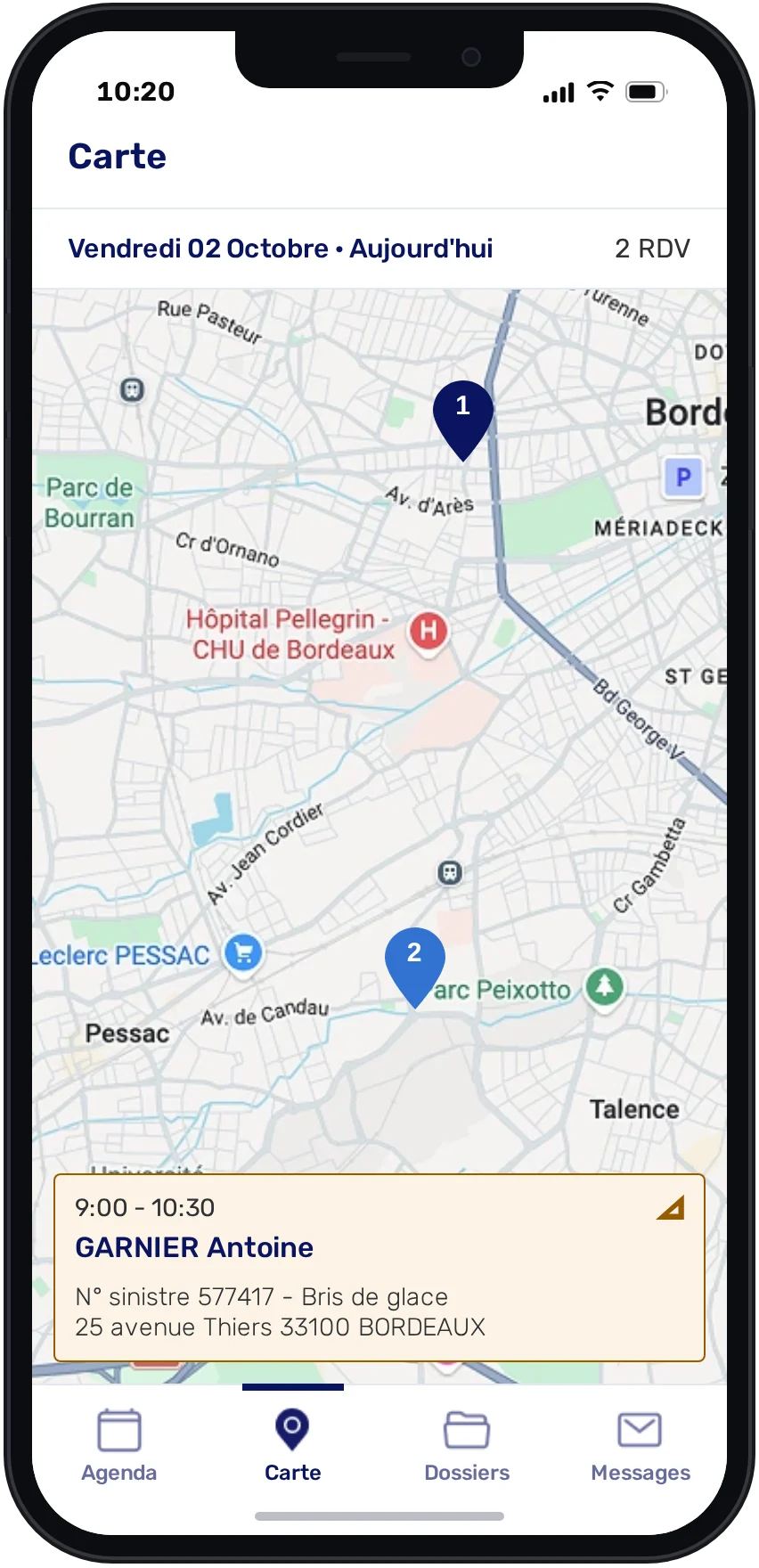
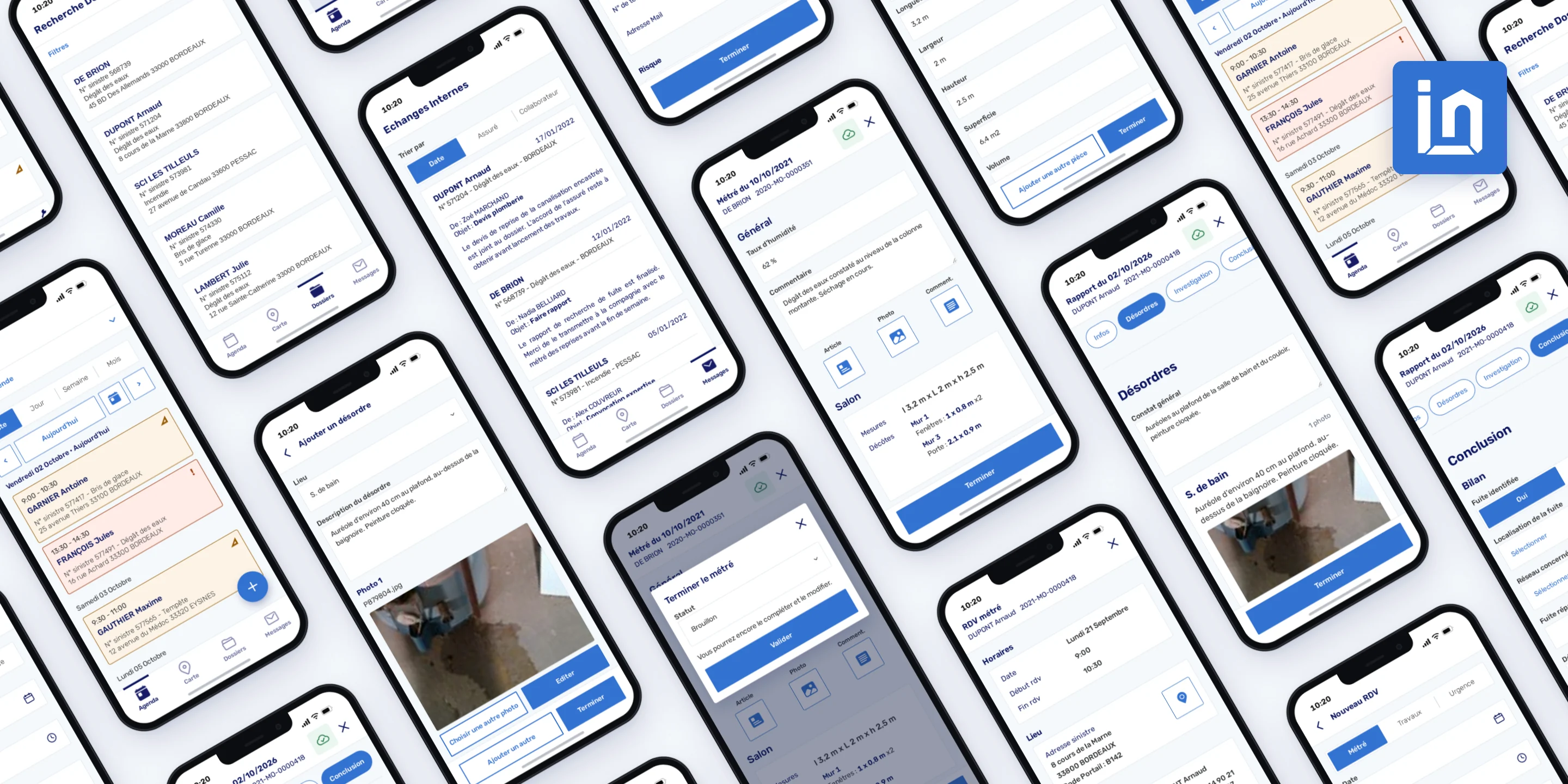
The rebuilt Iren Mobile app: agenda, case file, measurements and leak report screens
Where we started

The challenge

The product had outgrown its foundations. The mobile app had inherited a desktop-first experience.
It was difficult to use in the field and too limited to support new features, customers and markets.

01

Make
field work easier

Technicians needed fast access to appointments, files and reports while on site.

02

Better serve
existing customers

Key desktop functionality still wasn’t practical to use on mobile.

03

Reach
new markets

The product needed to support new customer segments and more specialised field workflows.

What we did — in three phases

The Method

A phased redesign, prioritised to tackle the essentials first, then expand the product where it could create more value.

01 Foundation

Make the existing app work

+ Rebuilt the navigation So the core tasks were actually findable and fast on a phone.
+ Made it mobile-native Redesigned from a desktop-app-on-mobile into something built for how technicians work in the field.
+ Applied the new branding Bringing the app in line with the refreshed identity.
+ Built a flexible foundation Restructured the app so new features could be added without being constrained by the existing build.
02 Existing clients

Make it useful in the field

Existing customers relied on the desktop product, but the mobile app wasn’t useful enough in the field. This phase gave them a mobile tool they could actually use day to day.

+ Scheduling & appointments A calendar technicians could manage on the go.
+ Field reports A reporting flow for adding measurements and materials needed for a repair, directly on site.
03 New audience

Reach new markets

The product could now support new customer segments, starting with water-leak detection specialists and their specific field workflows.

+ A dedicated water-leak journey New functionality and a tailored flow for what leak-detection technicians need to do in the field.
+ Water-leak reporting A report type built specifically for that work.
What we made

On the Plate

Before
Old app — desktop-on-mobile

A desktop tool squeezed onto a phone — awkward in the field, rigid by design.
After
Rebuilt — mobile-native, on brand

Rebuilt mobile-native and on brand, around how technicians actually work.
Navigation — Agenda
Navigation — Map
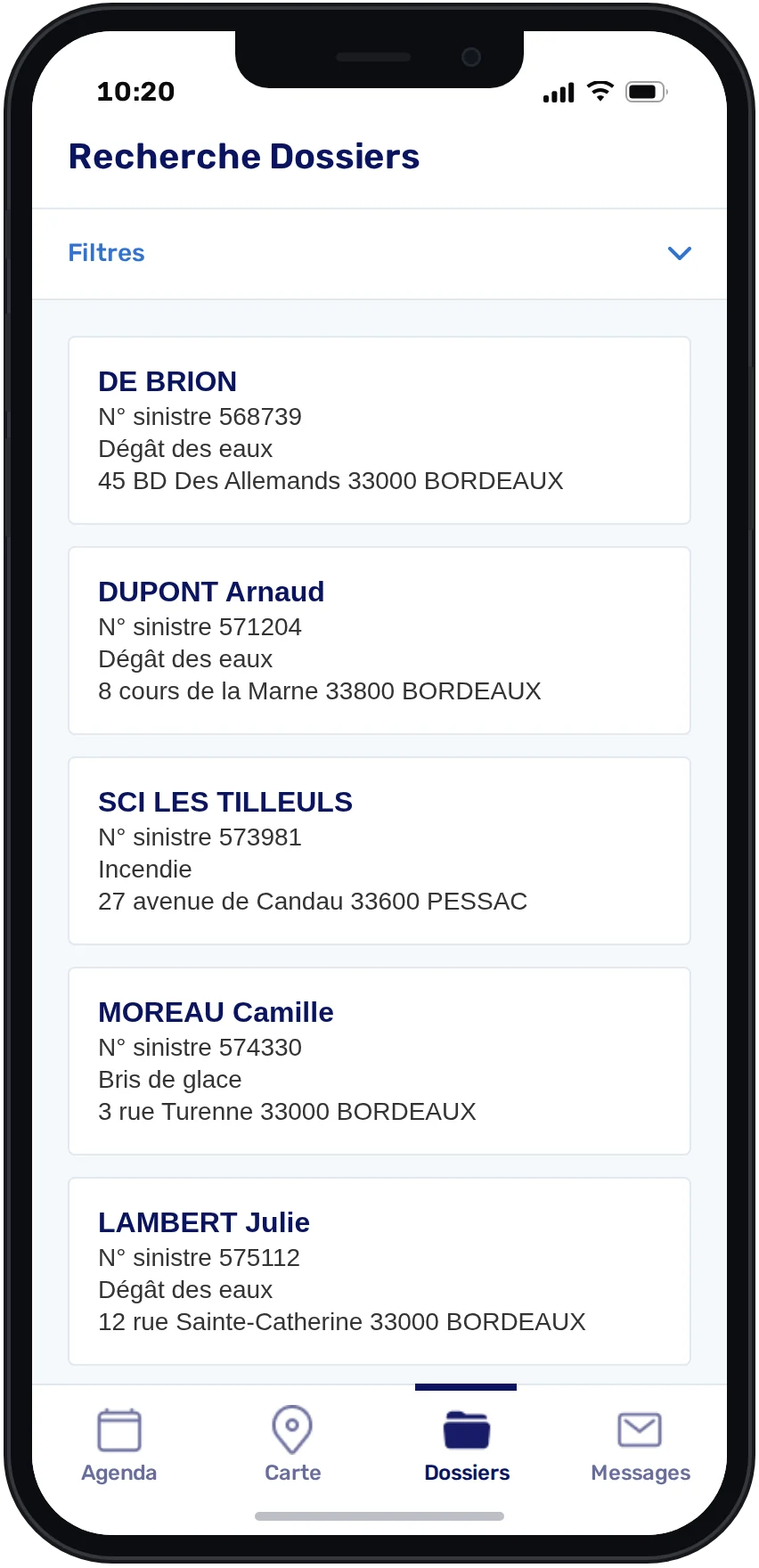
Navigation — Case files
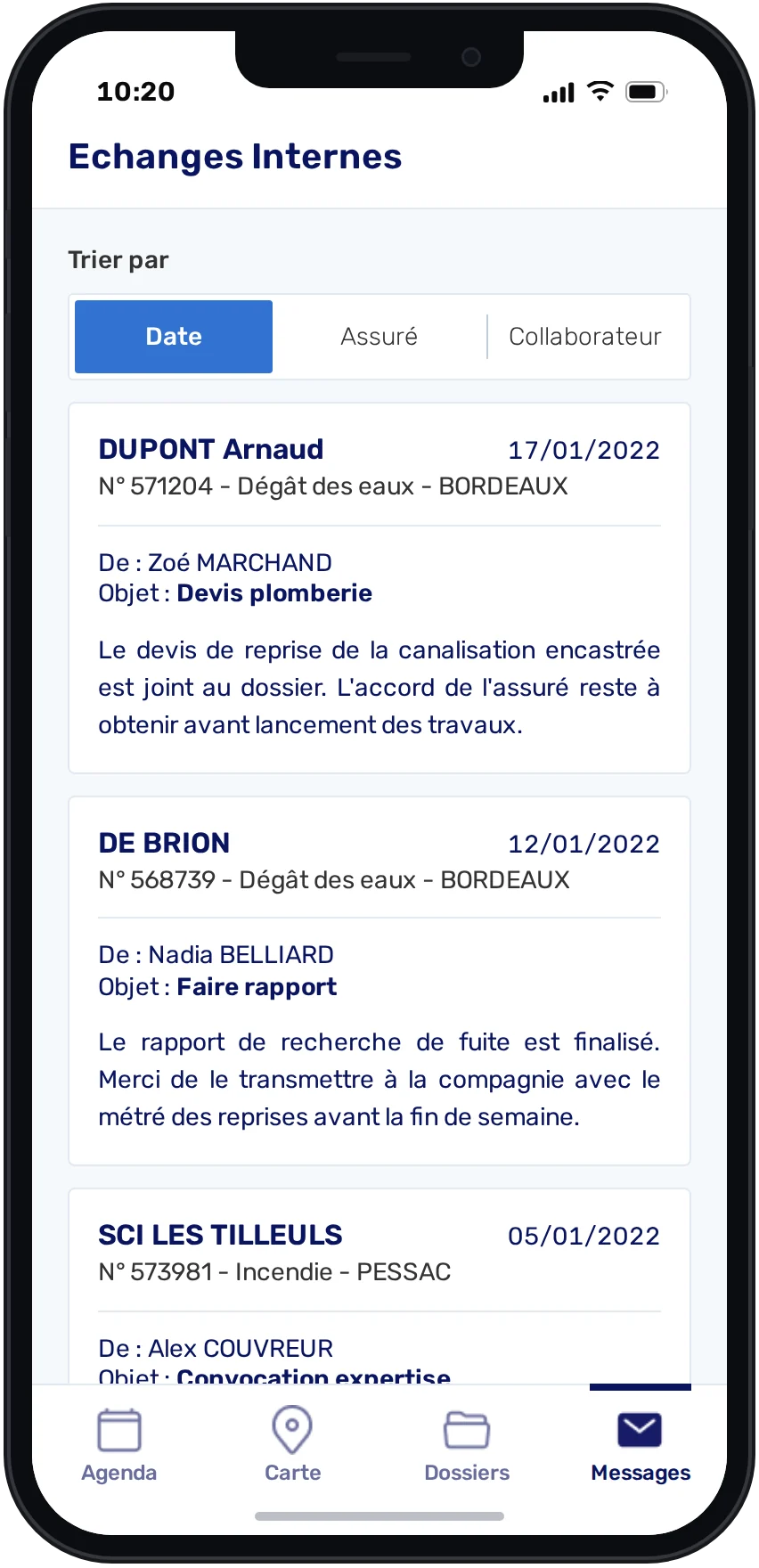
Navigation — Messages
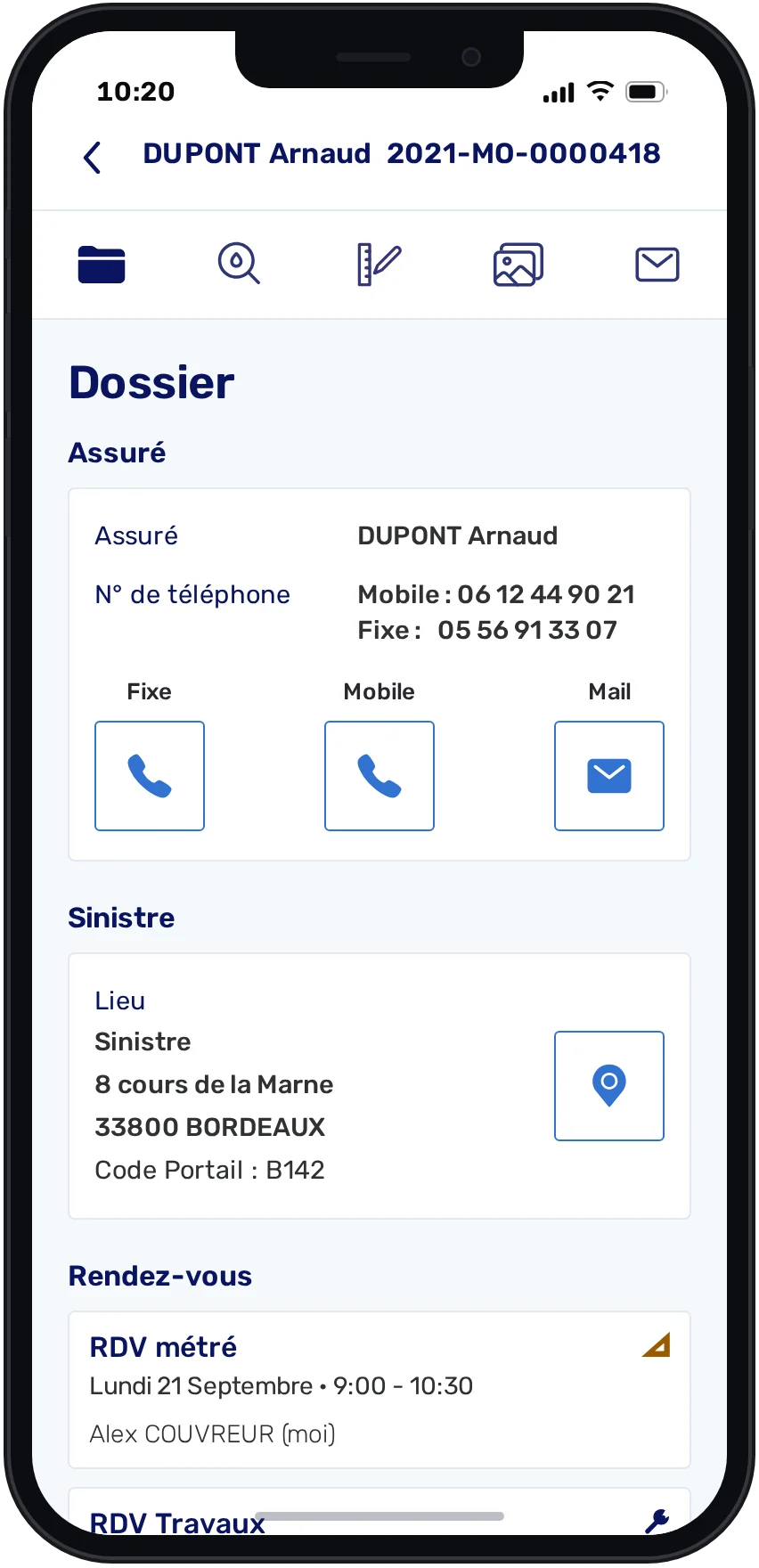
Navigation — Inside a case
ANavigationPhase 01

Two levels of navigation, built for the field

The app had grown around a desktop menu. We rebuilt it around the four places a technician needs between two visits, and organised each case file as tabs.

The workflow · 5 screens
Navigation — Agenda
Navigation — Map
Navigation — Case files
Navigation — Messages
Navigation — Inside a case
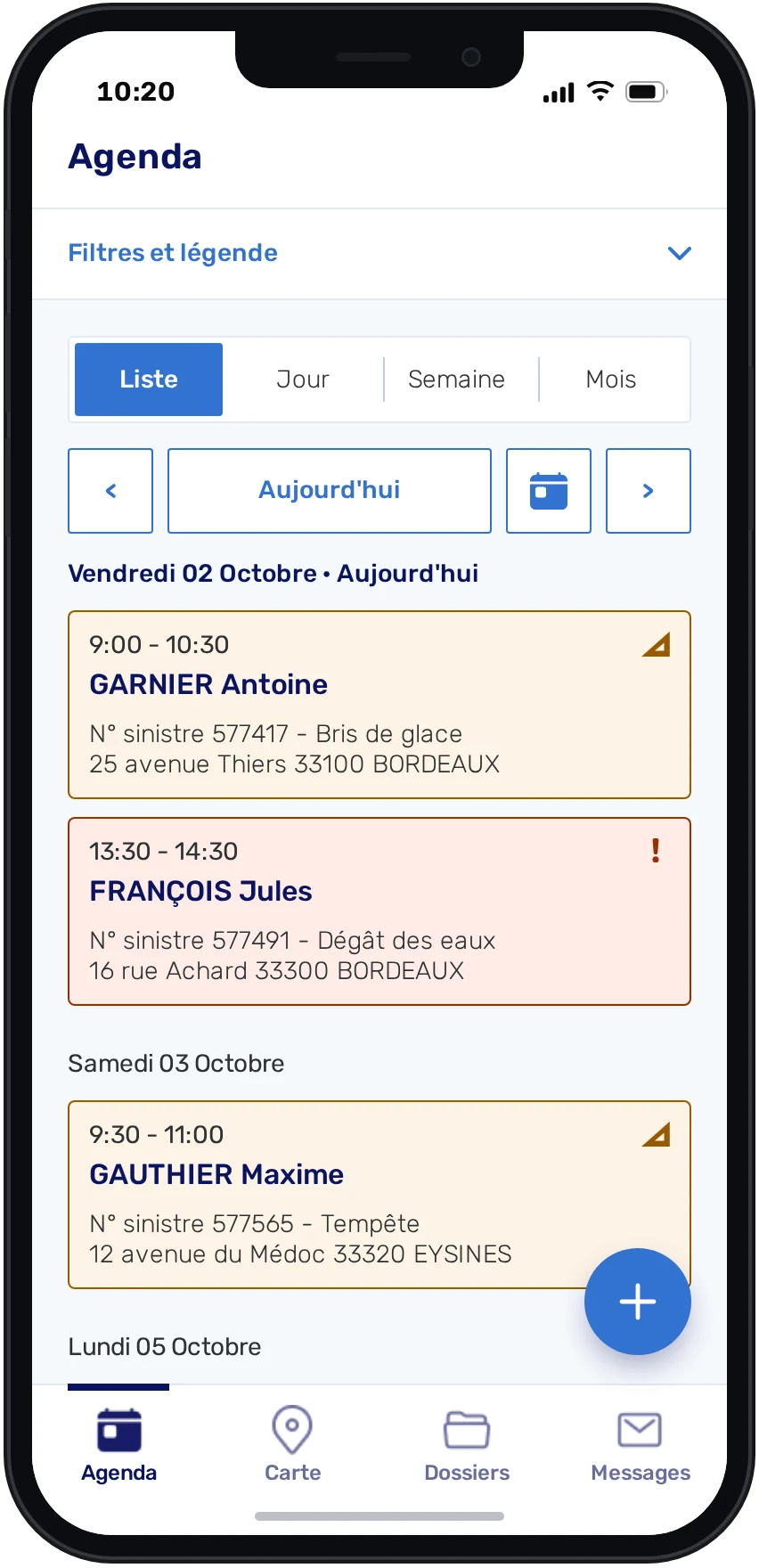
01Agenda

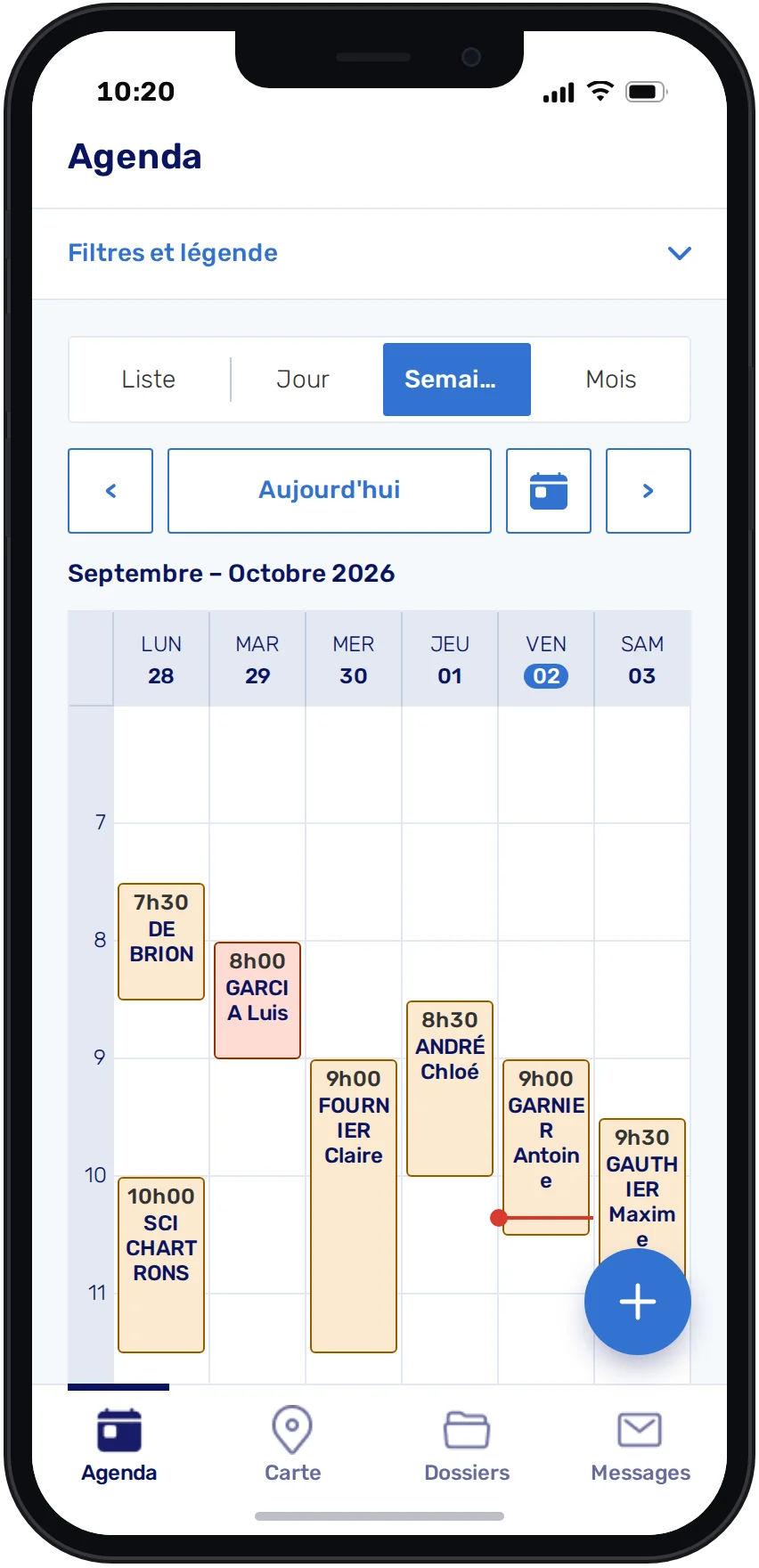
The day’s appointments open first: the app’s home.
The workflow
01 / 05
Agenda — List
Agenda — Day
Agenda — Week
Agenda — Month
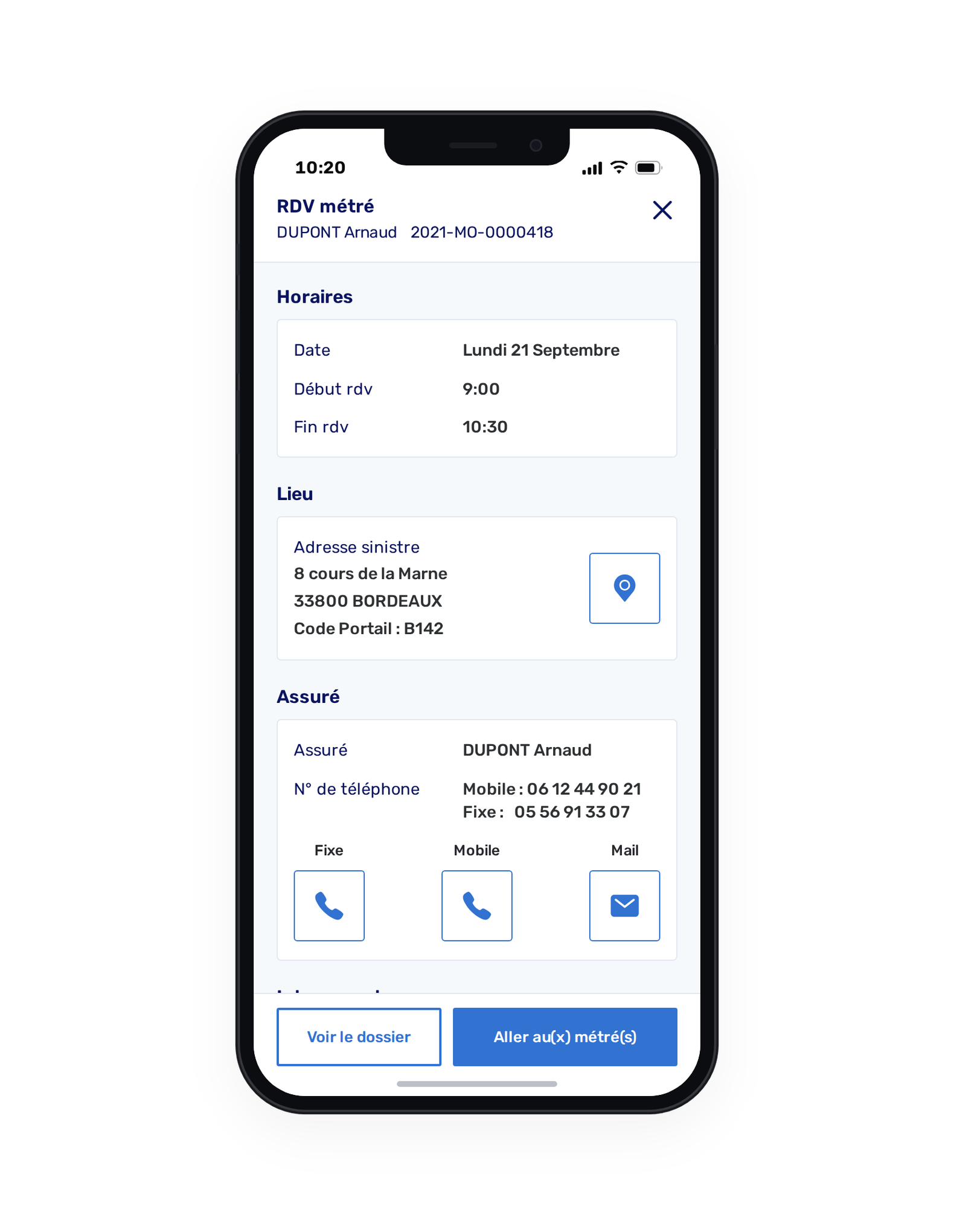
Agenda — Appointment
Agenda — New appointment
BAgendaPhase 02

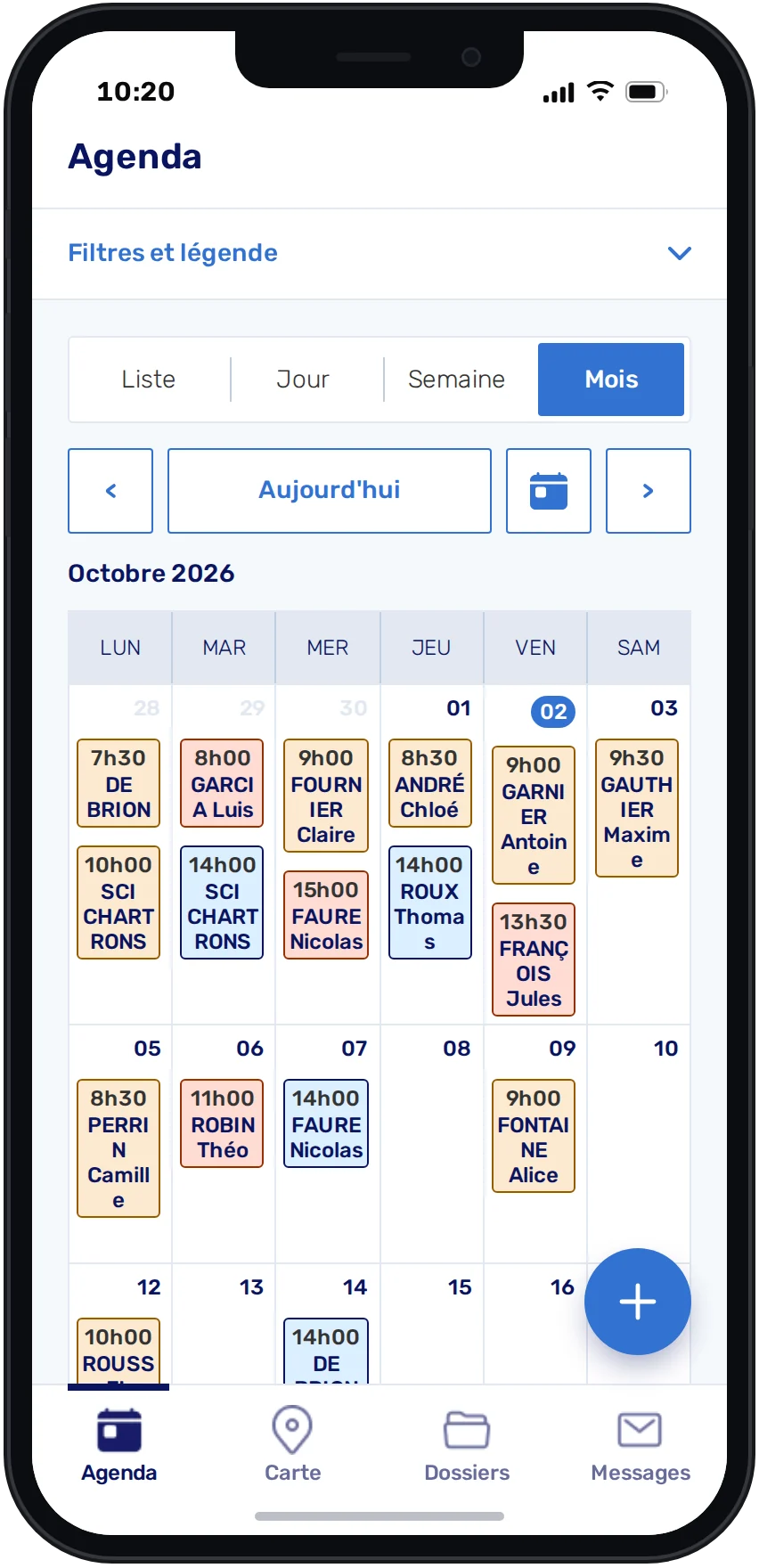
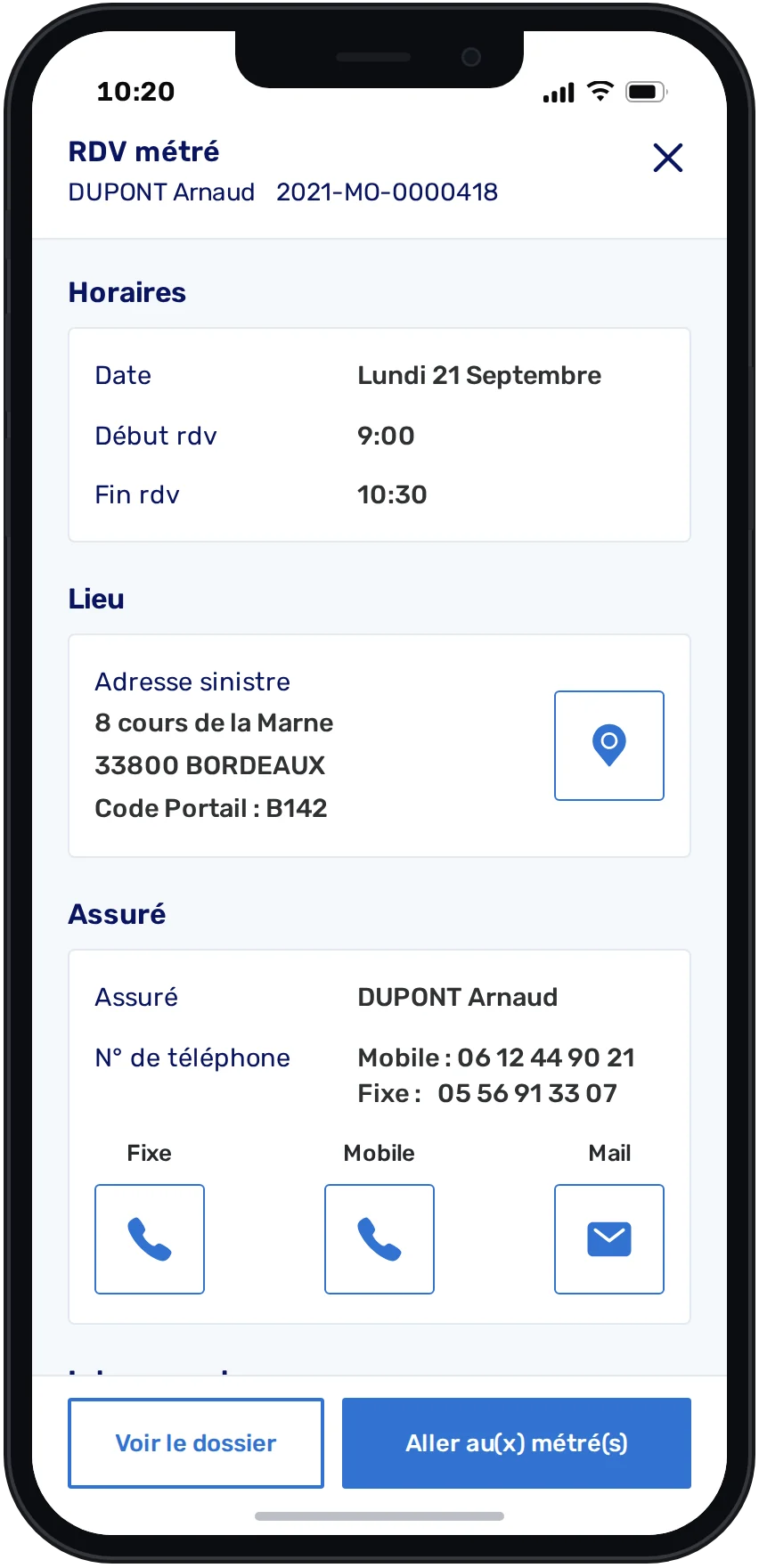
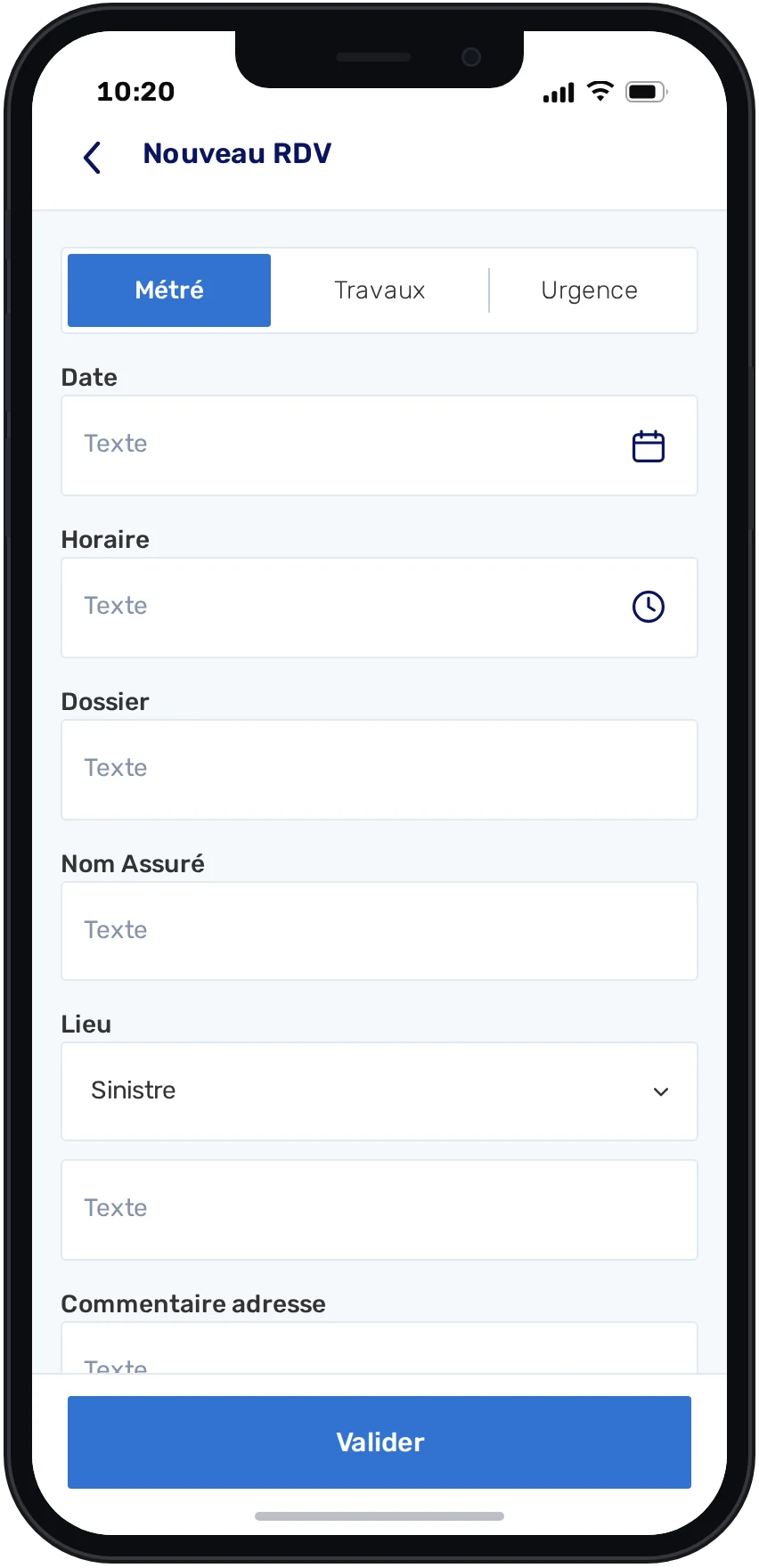
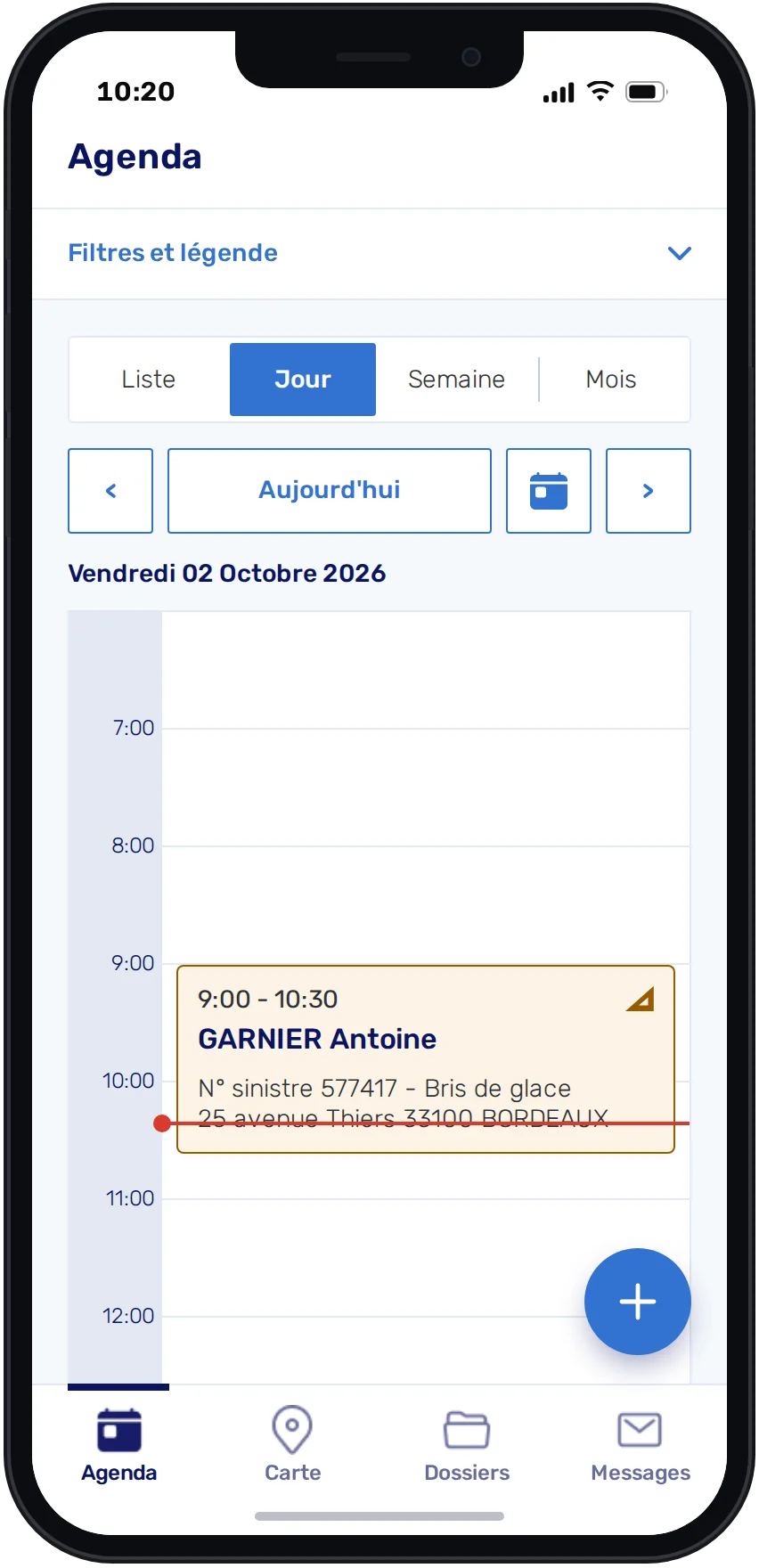
The calendar, rebuilt for field work

Existing customers relied on the desktop calendar. The mobile agenda gives technicians the same appointments in four views, and lets them book new ones on site.

The workflow · 6 screens
Agenda — List
Agenda — Day
Agenda — Week
Agenda — Month
Agenda — Appointment
Agenda — New appointment
01List

Upcoming appointments day by day, today first.
The workflow
01 / 06
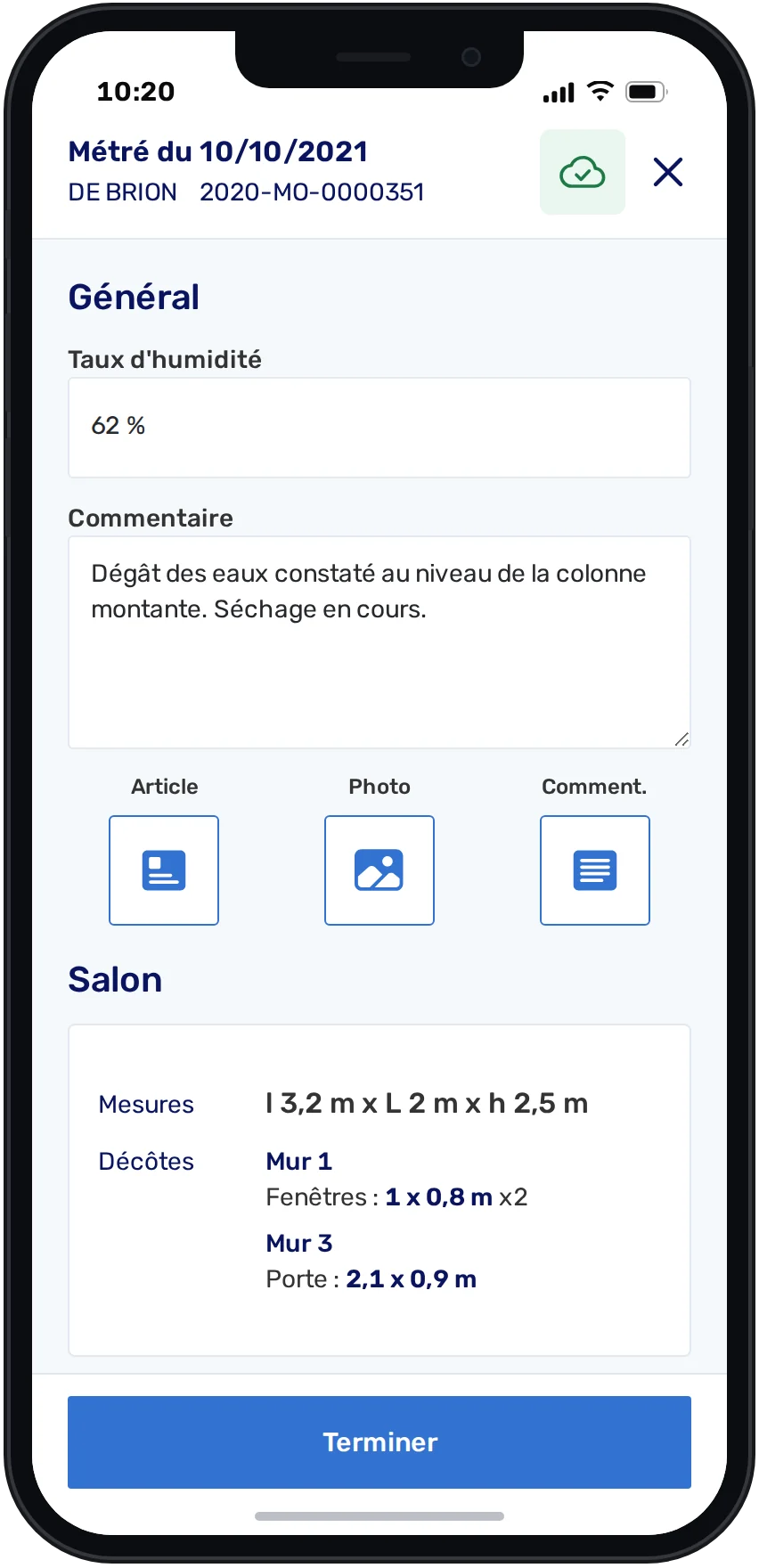
Measurements — The case’s reports
Measurements — Report
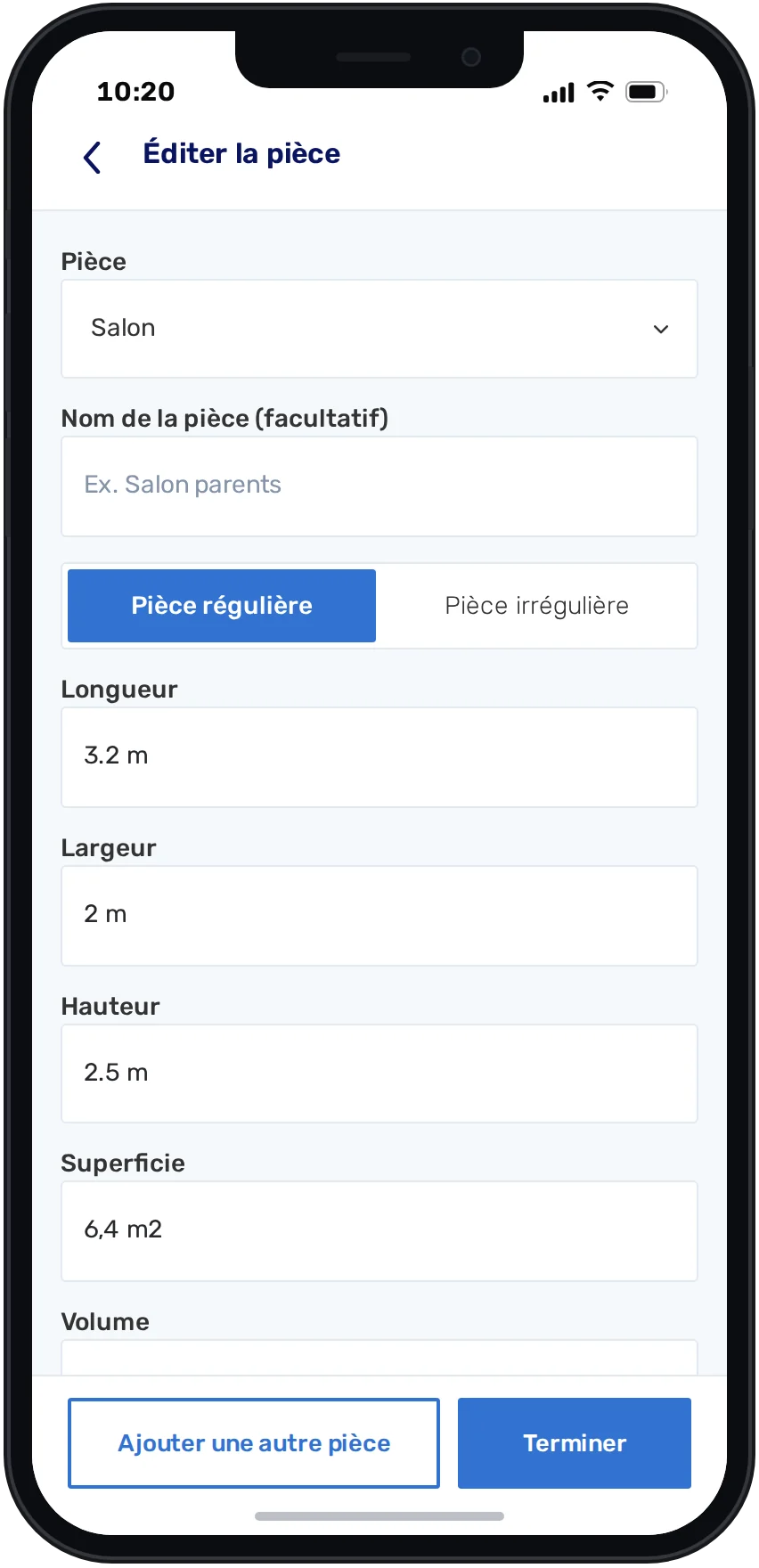
Measurements — Room
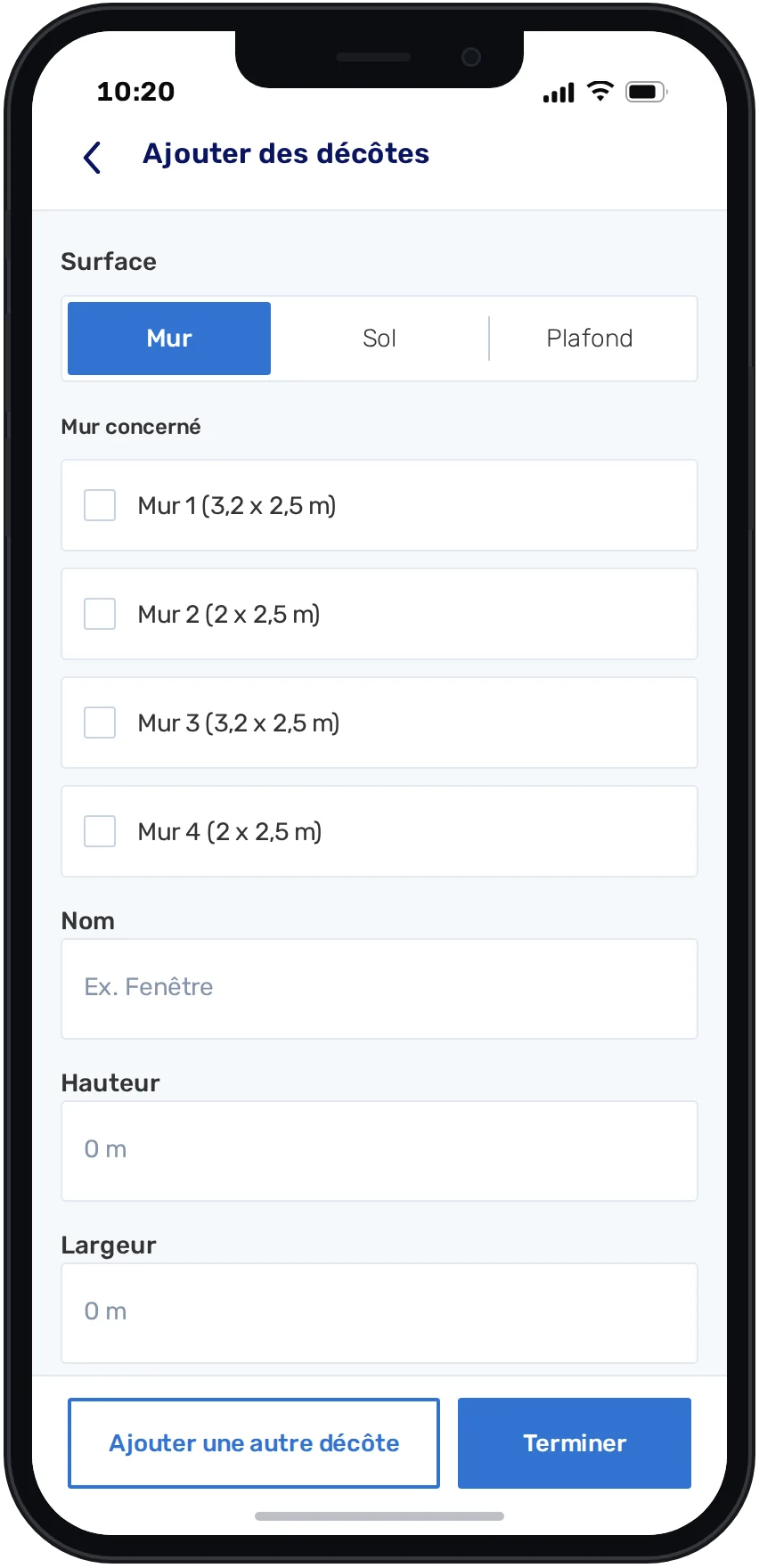
Measurements — Deductions
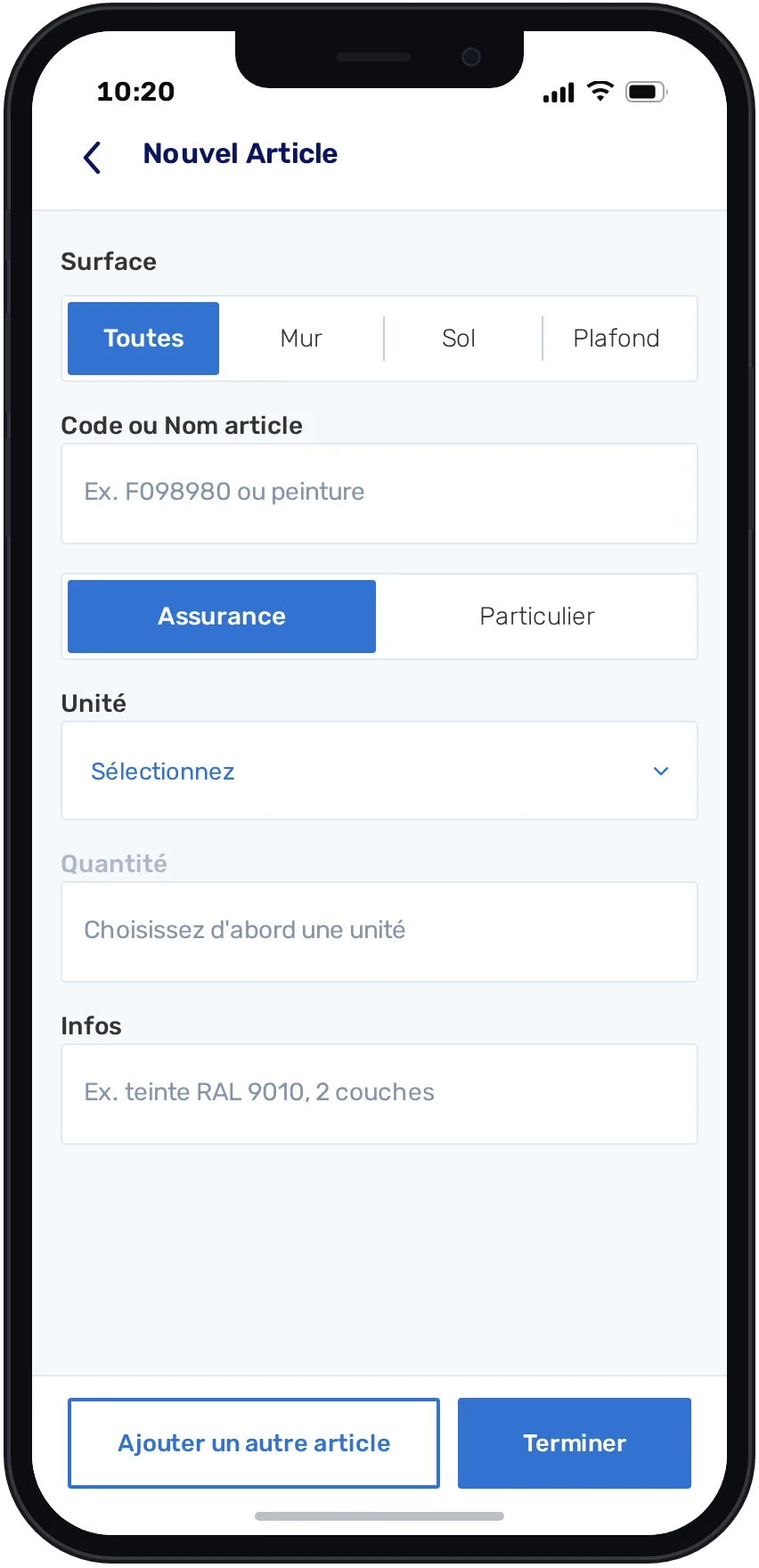
Measurements — Article
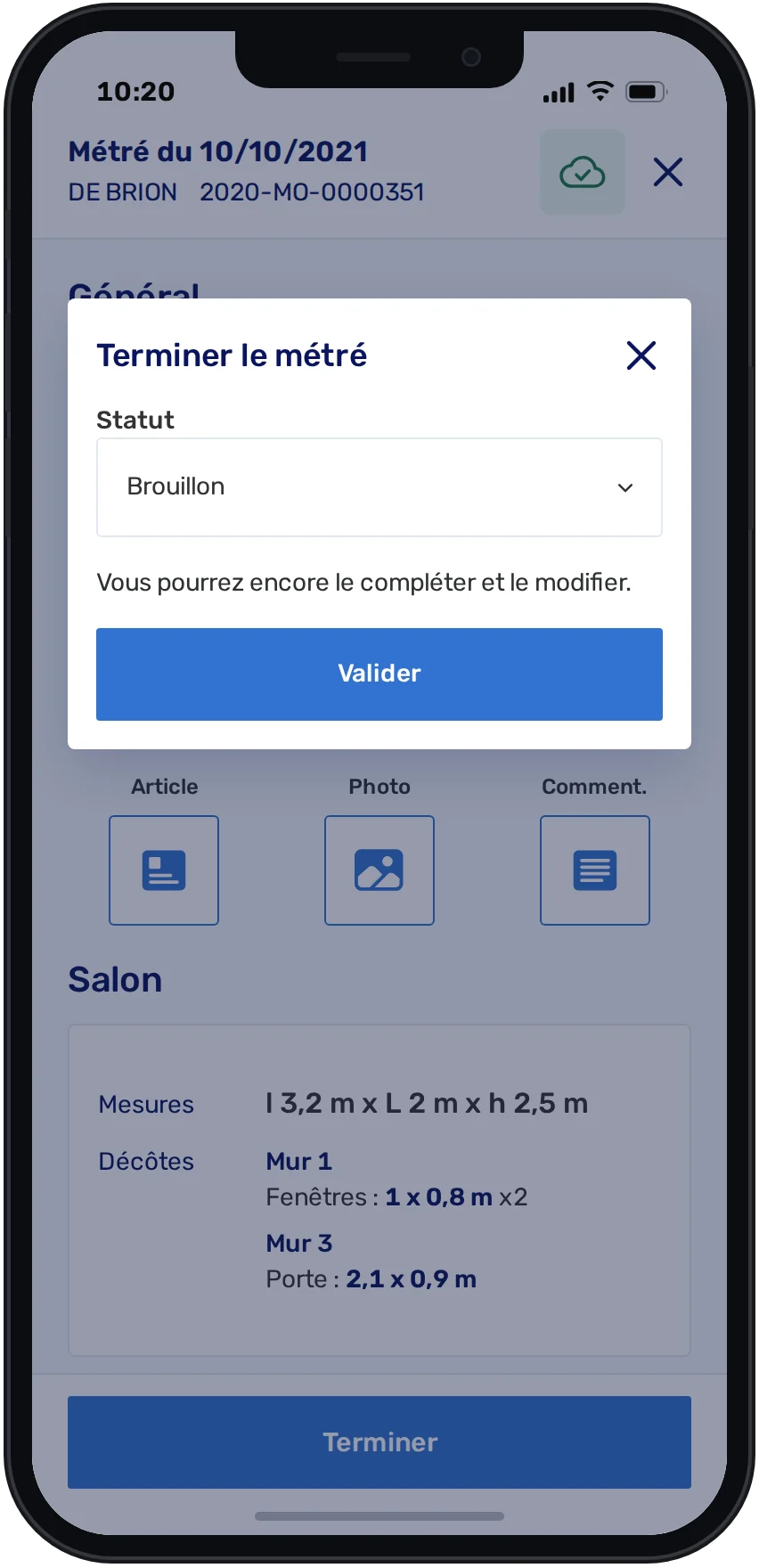
Measurements — Finish
CMeasurementsPhase 02

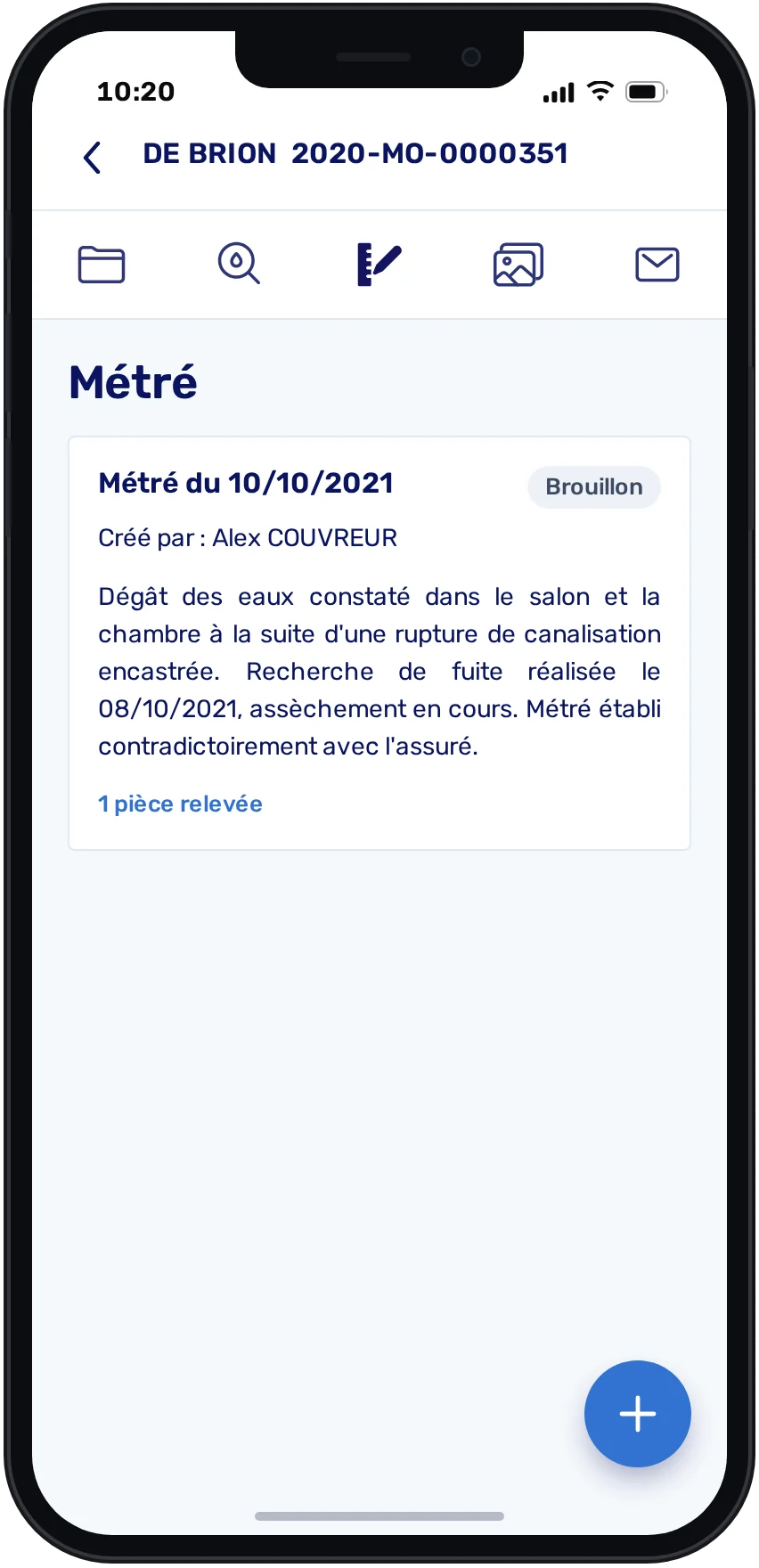
Capture repair measurements on site

Measurements and the materials needed for the repair, captured directly on site and saved as you go.

The workflow · 6 screens
Measurements — The case’s reports
Measurements — Report
Measurements — Room
Measurements — Deductions
Measurements — Article
Measurements — Finish
01The case’s reports

Every measurement report of the case, with its status.
The workflow
01 / 06
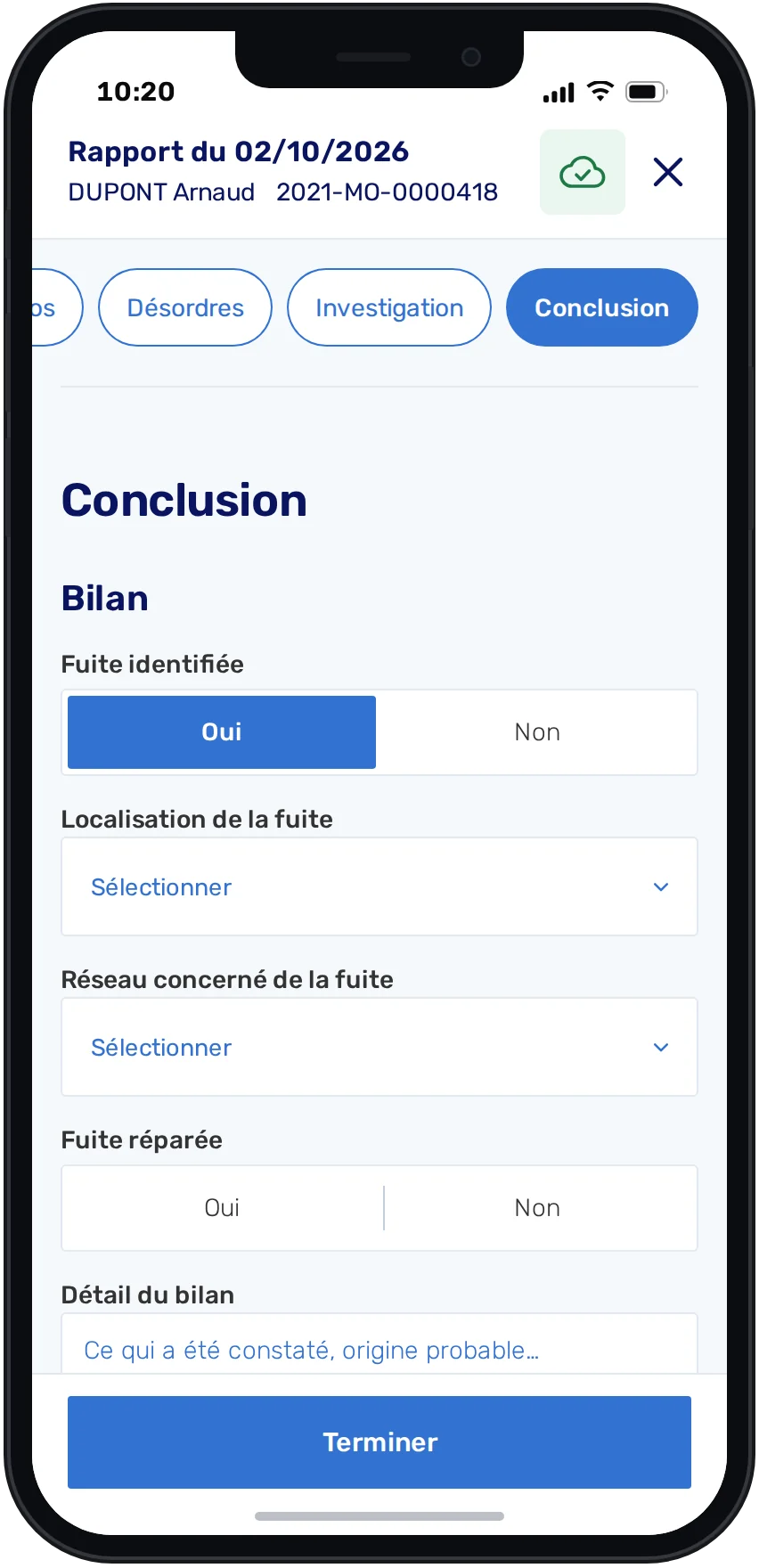
Leak detection — Information
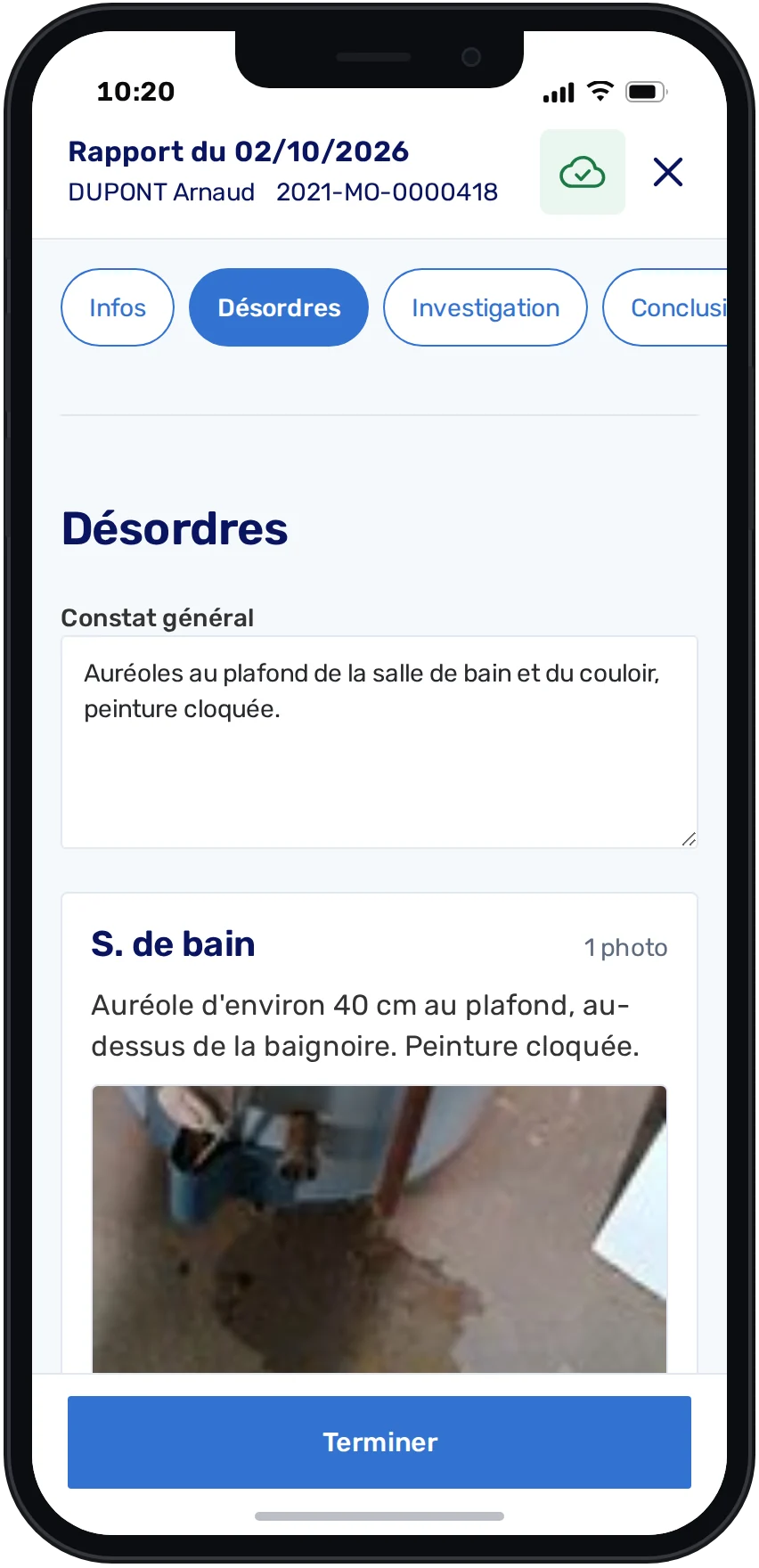
Leak detection — Damage
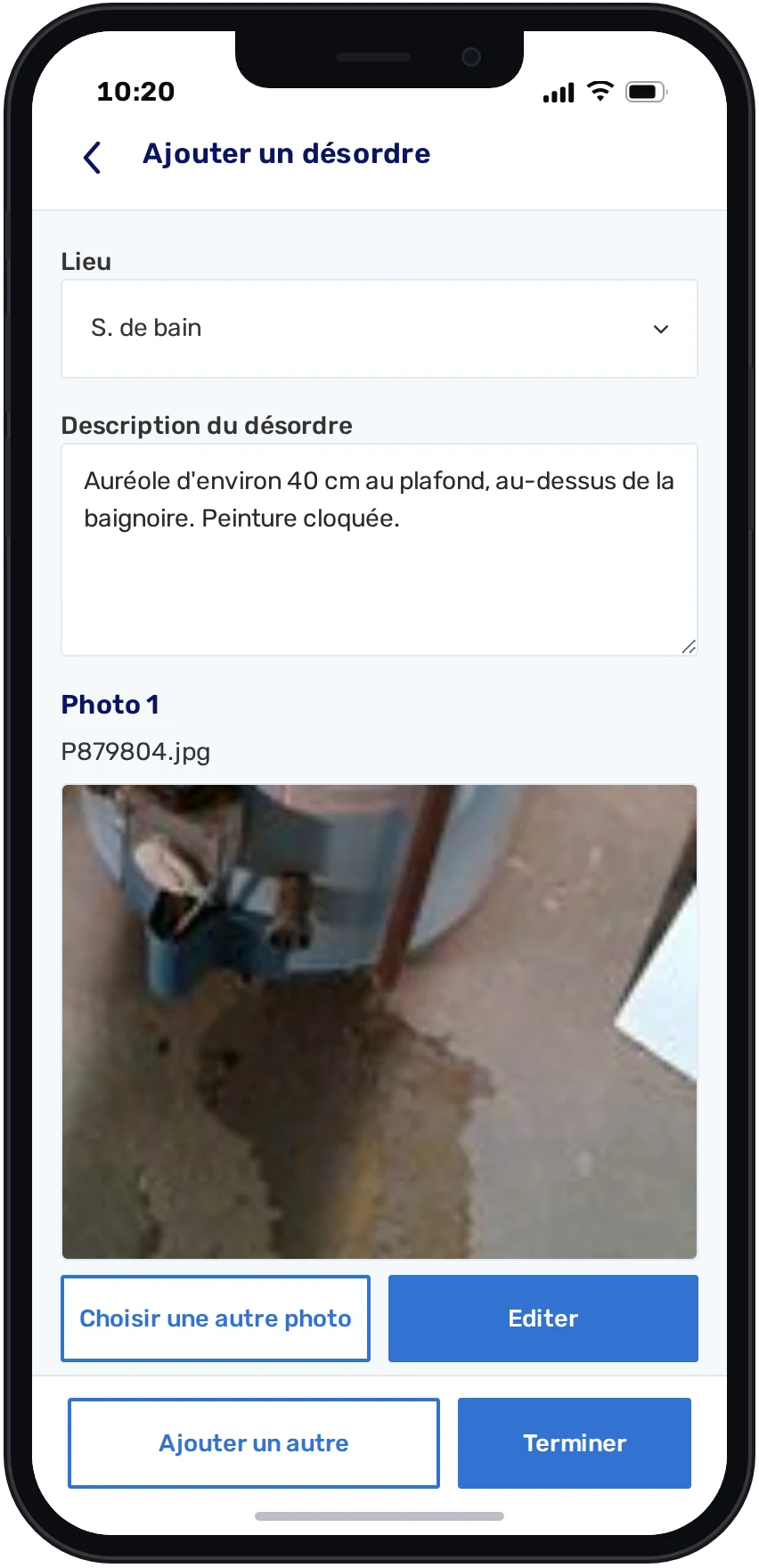
Leak detection — Add a damage
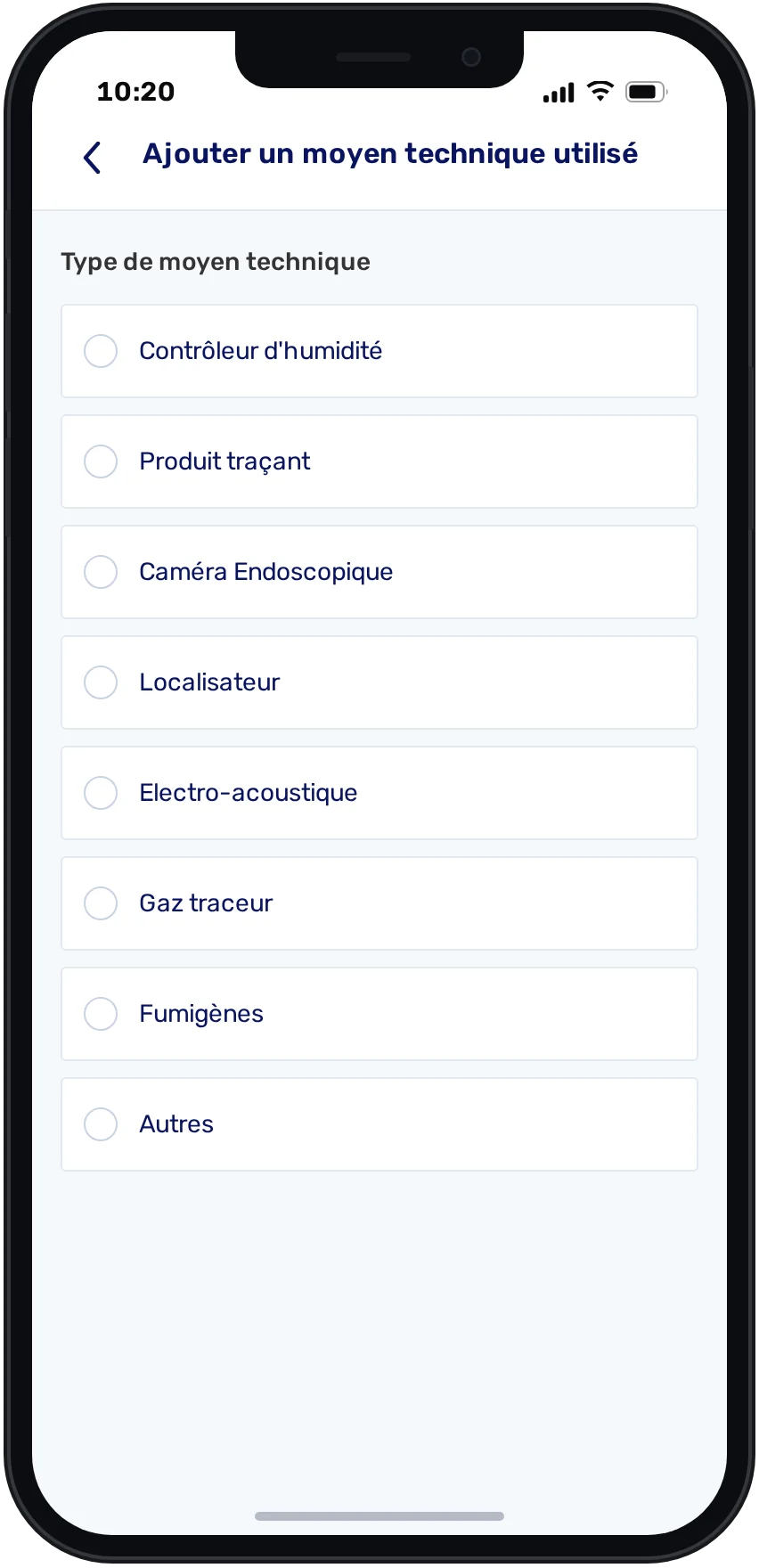
Leak detection — Investigation
Leak detection — Conclusion
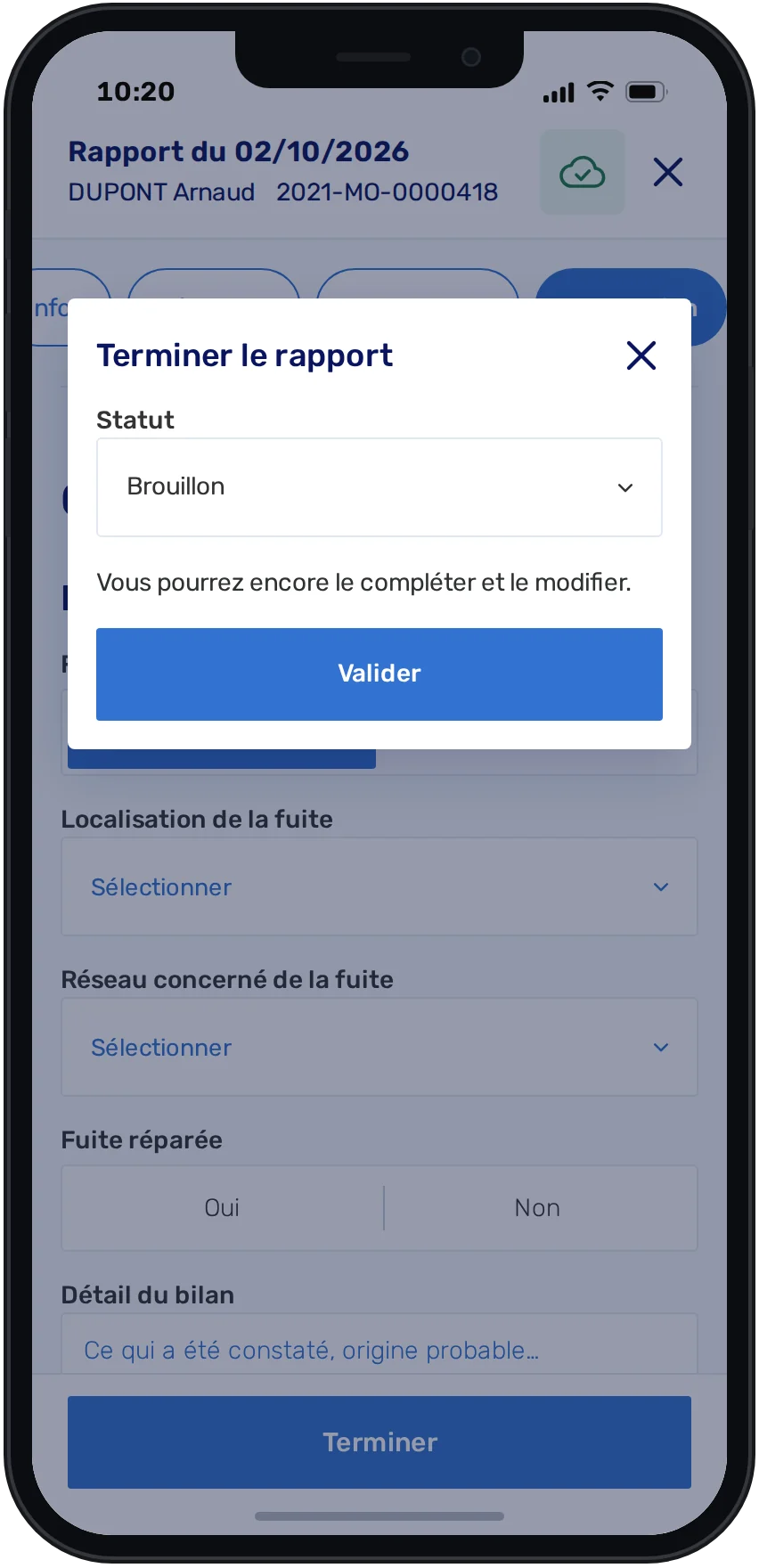
Leak detection — Finish
DLeak detectionPhase 03

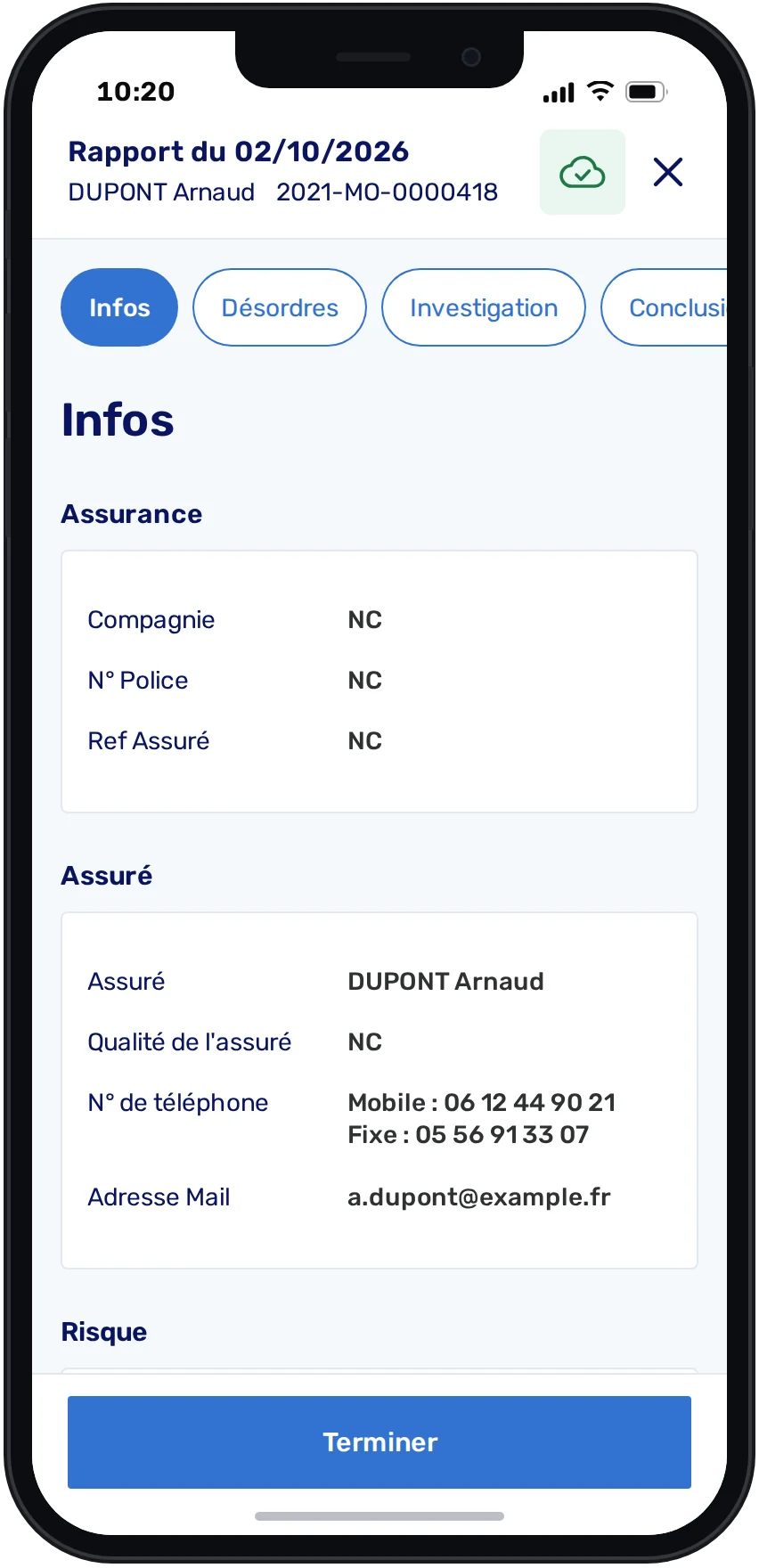
A workflow built for leak-detection specialists

A new segment with its own workflow: information, damage, investigation and conclusion, in one report built for leak-detection technicians.

The workflow · 6 screens
Leak detection — Information
Leak detection — Damage
Leak detection — Add a damage
Leak detection — Investigation
Leak detection — Conclusion
Leak detection — Finish
01Information

Insurance, insured and risk, shared with the case file.

The workflow
01 / 06
What it earned

The redesign won Euro Informatique new clients

Companies that wanted Euro Informatique’s tools, but had been held back by missing mobile capabilities: proper scheduling, field reporting, and the water-leak specialization. The work didn’t just improve the app — it opened business the old version couldn’t support.

UnlockedScheduling & field reporting
New segmentWater-leak detection clients
OutcomeNew business, not just a better app
Same need, your product?

Explore Product & UX